

Team chat, built into your board
Vailo now has chat: direct messages, groups, public and private channels, and a channel for every project and team. On every plan.
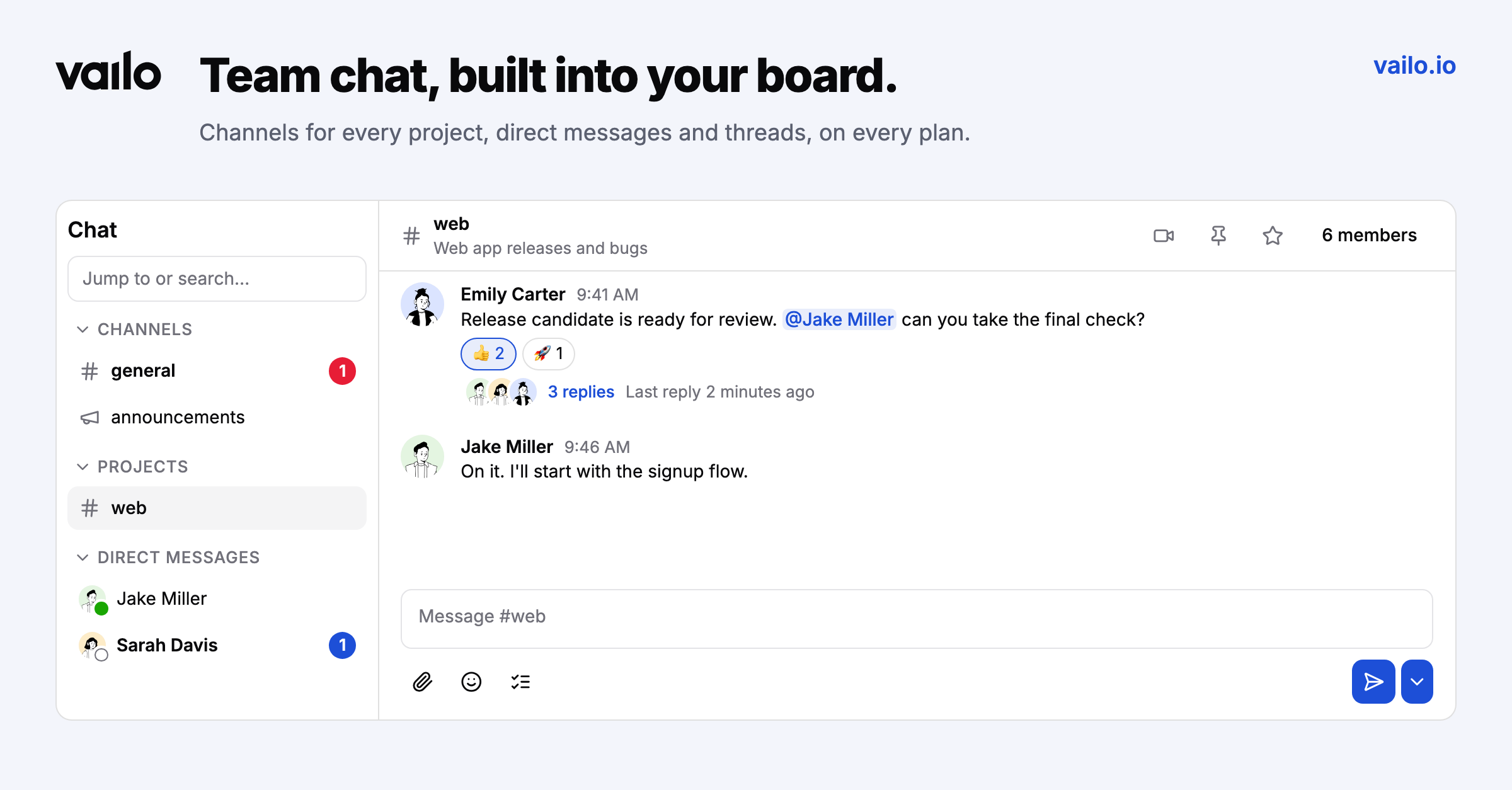
Your team chat shouldn't live in a different tool than your work.
Vailo now has chat built in.
Conversations
- Direct messages, groups of up to 9 people, public and private channels.
- #general, #announcements and a channel for every project and team, whose members follow the project or team automatically.
- Threads, emoji reactions, @mentions (people, @channel, @here, @team), files up to 50 MB, editing, quotes, links to a message, starred and muted conversations, and keyboard shortcuts.
Without leaving your work
The quick chat panel opens from the chat button in the top bar or with ⌘J (Ctrl+J). Inside a project it opens the project channel. It stays open while you move around, and one click takes you to the full view.
Notifications that respect you
Unread counts in the sidebar and the browser tab, mentions in the inbox, optional browser notifications and sound, and an e-mail when a direct message or mention stays unread for 15 minutes (at most one an hour, and you can turn it off).
Plans
Chat is on every plan. The Free plan shows the last 90 days of history.