

Support tickets, right inside Vailo
On Standard and Premium, open a support ticket from the top bar: pick a category, describe the problem, attach a screenshot and follow our replies in the app, in the bell and by e-mail.
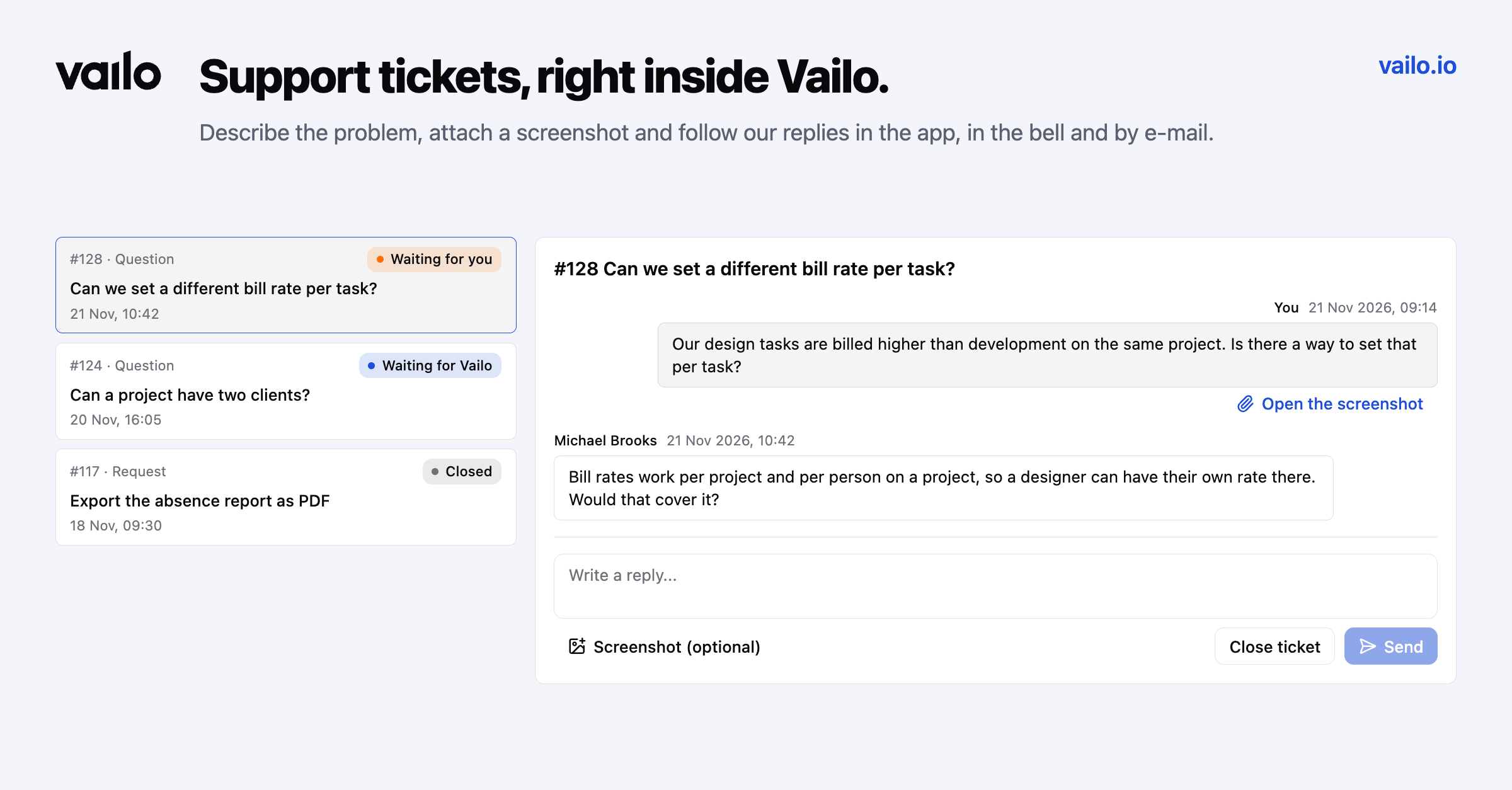
When something in Vailo doesn't work the way you expect, or you're not sure how to do something, you shouldn't have to hunt for an e-mail address. On Standard and Premium, support now lives inside the app.
Open a ticket
Click Support in the top bar and choose New ticket. Pick a category (bug, question, billing or request), write a subject and describe what happened. Attach a screenshot if it helps: PNG, JPG, WebP or GIF, up to 5 MB.
Follow it in one place
Your tickets are listed on the Support page with their status:
- Waiting for Vailo: it's on us.
- Waiting for you: we replied and need something from you.
- Closed: done. Reply to a closed ticket and it opens again.
Our replies reach you three ways: in the ticket itself, in the bell, and by e-mail. You can answer right in the thread and close the ticket yourself once it's sorted.
Private by default
Only you and the Vailo support team see your tickets. Not your workspace owner, not your colleagues.
What changed
The old Feedback button and the "Was this helpful?" questions on app screens are gone. Tickets give us the whole story in one thread, so we can actually follow up. The Help Center keeps its article votes.