

Estimate the project before you sign it
On Premium, break a project into modules and features, estimate the hours per area with your team, add ranges, a risk buffer and overheads, and keep amounts out of sight for the people estimating.
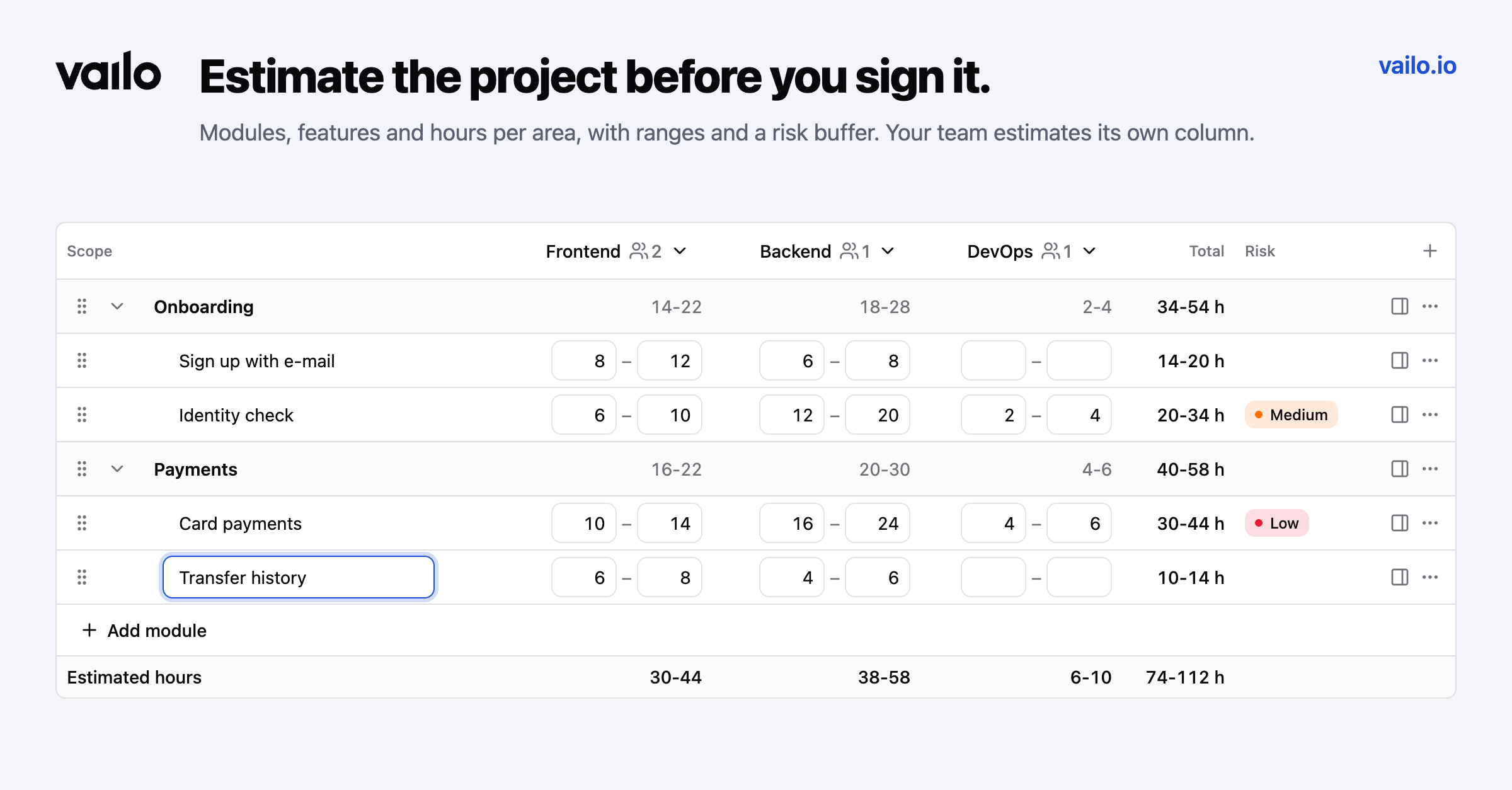
Most project overruns start before the first task: with an estimate made in a spreadsheet, by one person, without a word about risk. On Premium, Vailo now has Estimates.
Break the project down
Create an estimate, give it a name and a client, and choose the areas you estimate in, like Frontend, Backend and DevOps, or your own. Then break the project into modules and features, up to four levels deep. Rows open and close like an accordion, and the lowest elements hold the hours while the upper ones add them up.
It works like a sheet: Enter adds a row, Tab and Shift+Tab change the level, Alt+arrows move a row. You can also drag a row by its handle, above, below or into another element, and duplicate a branch or insert one from another estimate.
Be honest about uncertainty
- Ranges: turn them on and every cell gets a minimum and a maximum.
- Confidence: mark an element Medium or Low and a risk buffer is added to it (you set the percentages).
- Overheads: add project management or testing as a percentage of all areas or only some of them.
The totals under the tree show the estimated hours, the risk buffer, each overhead and the total.
Let the team estimate its own part
Pick estimators for each area. They edit the hours of their column and the scope, and they can comment on elements, but they never see any amounts. Money appears only in the offer.
Estimates are on the Premium plan.