

Offers your client accepts online
On Premium, turn an estimate into an offer priced with your bill rates, have it approved, and let your client accept or decline it from a link, no account needed.
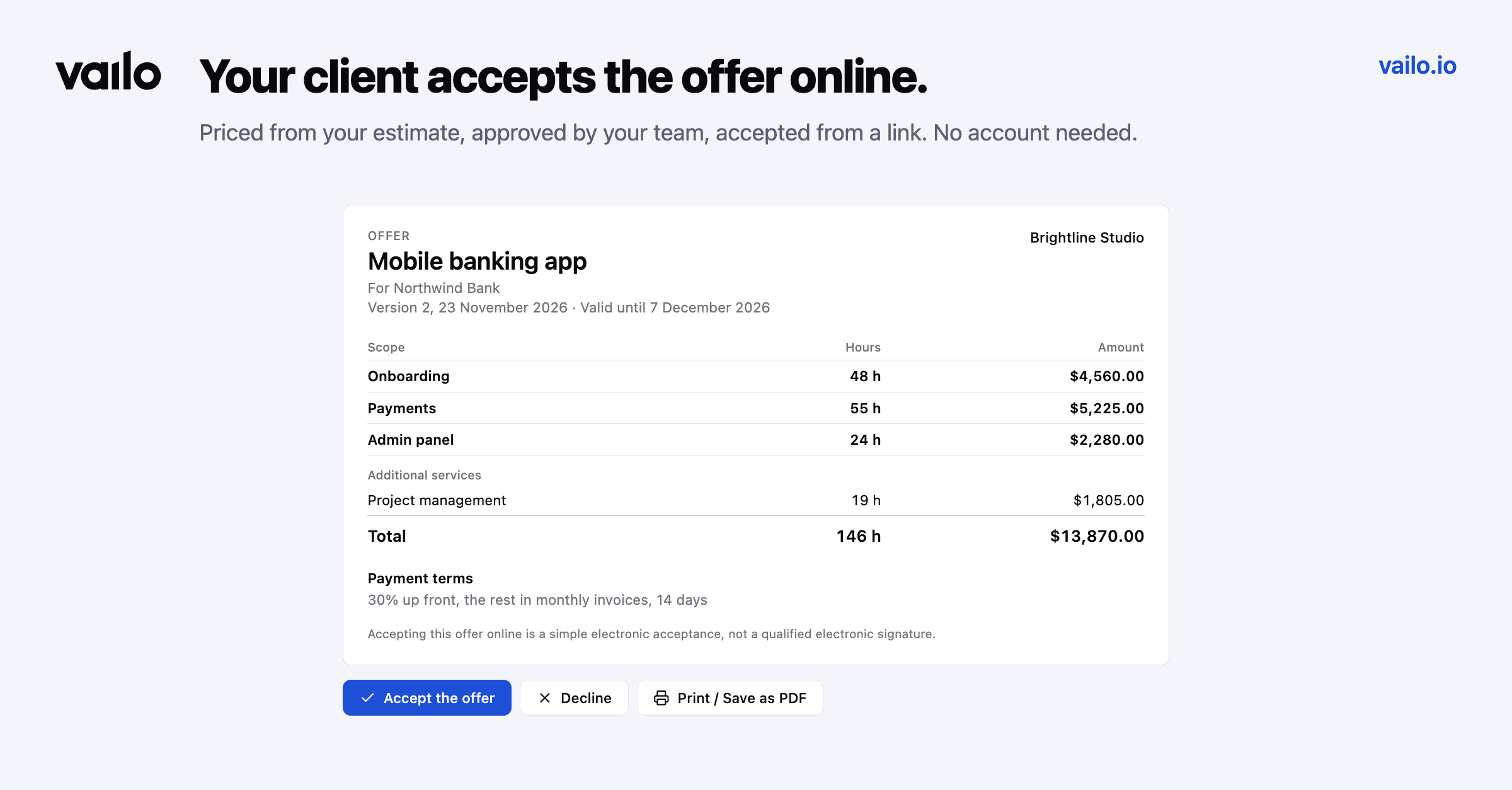
An estimate is only half of the job. The other half is getting a price in front of the client and a clear yes back. On Premium, every estimate now has an Offer tab.
Price it
Owners and finance managers prepare an offer from the estimate's hours. Choose a fixed price or time and materials with an optional cap. Prices start from the bill rates you set in Rates, per area if you like, and you can change them for this offer only, add a discount, a validity date, payment terms and your own terms.
Decide how much the client sees: the scope down to the level you choose, with or without hours. The risk buffer is already included in the prices.
Approve it
The estimate's approver approves the version before it goes out, or sends it back with a comment. Approving freezes what the client will see; changes afterwards need a new version.
Send it and get an answer
Copy a link or send the offer by e-mail. Your client opens it in the browser, without an account, and can print it or save it as PDF. To accept, they enter their name, e-mail and company and confirm they may accept on its behalf. You are notified, and the acceptance is kept with its evidence: who, when, from which browser and a fingerprint of the exact document. The client gets a copy by e-mail.
A newer version replaces the older links. Agreed another way? Record the answer yourself and attach the signed PDF.
Everybody else working on the estimate sees only the offer's status, never the amounts.