

From accepted offer to project, and back to the estimate
When a client accepts an offer, Vailo builds the project from the hours they agreed to, then shows estimated against tracked hours while the work runs.
The client said yes. Until now, that was the moment someone sat down and rebuilt the offer as tasks, by hand.
On Premium, Vailo now does it in one step.
Create project from an accepted offer
As soon as a client accepts an offer, online or recorded by hand, the estimate shows Create project. Pick the name, code, lead and deadline, and whether you want one task per element and area or one per element. A summary shows how many tasks and hours will be created before you confirm.
Vailo then builds the project from the hours the client agreed to:
- a task for every element and area, with its estimate,
- the top section as a tag, and High risk on items estimated with Low confidence,
- an element nobody estimated as a task tagged No estimate, easier to delete than to forget,
- the estimators as members (an area with one estimator gives them its tasks), and a team per area if you want one,
- an hours budget whose risk reserve is shown apart, and can be changed in Project Settings > Budget.
Owners and finance managers can also set the project's bill rate.
Estimate vs actual
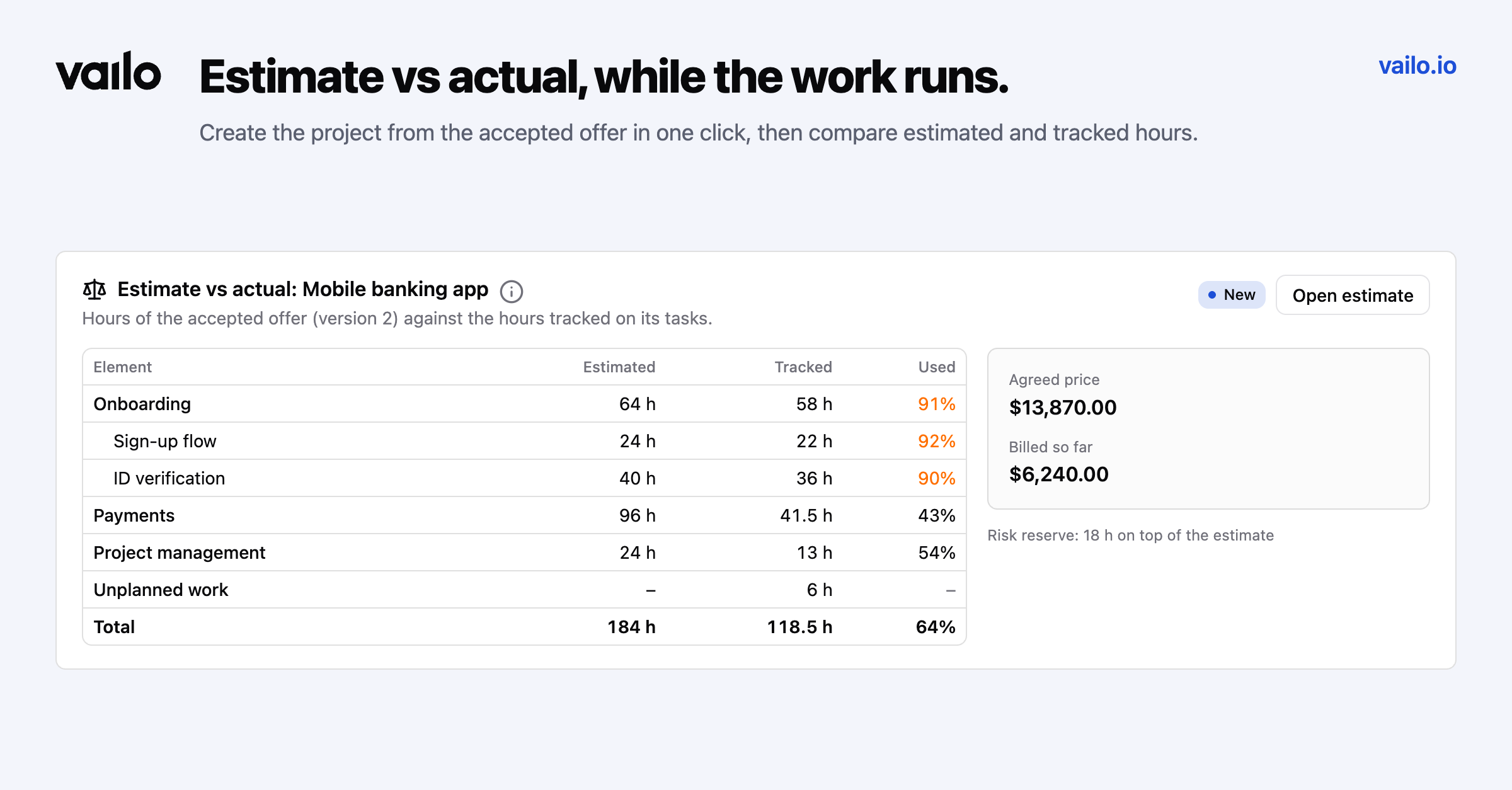
The estimate and the project overview now have an Estimate vs actual card. It puts the estimated hours next to the hours tracked, per section and per area, and adds the unplanned work: hours booked on the project's other tasks.
Owners and finance managers also see the agreed price next to what has been billed so far. Everybody else sees hours only.
It's the comparison every agency wants and rarely has while the project is still running, not only in the post-mortem.