

Checklists and tasks that repeat themselves
Break a task into a checklist of steps, and make tasks repeat daily, weekly or monthly: when you mark one Done, the next one is already waiting. On every plan.
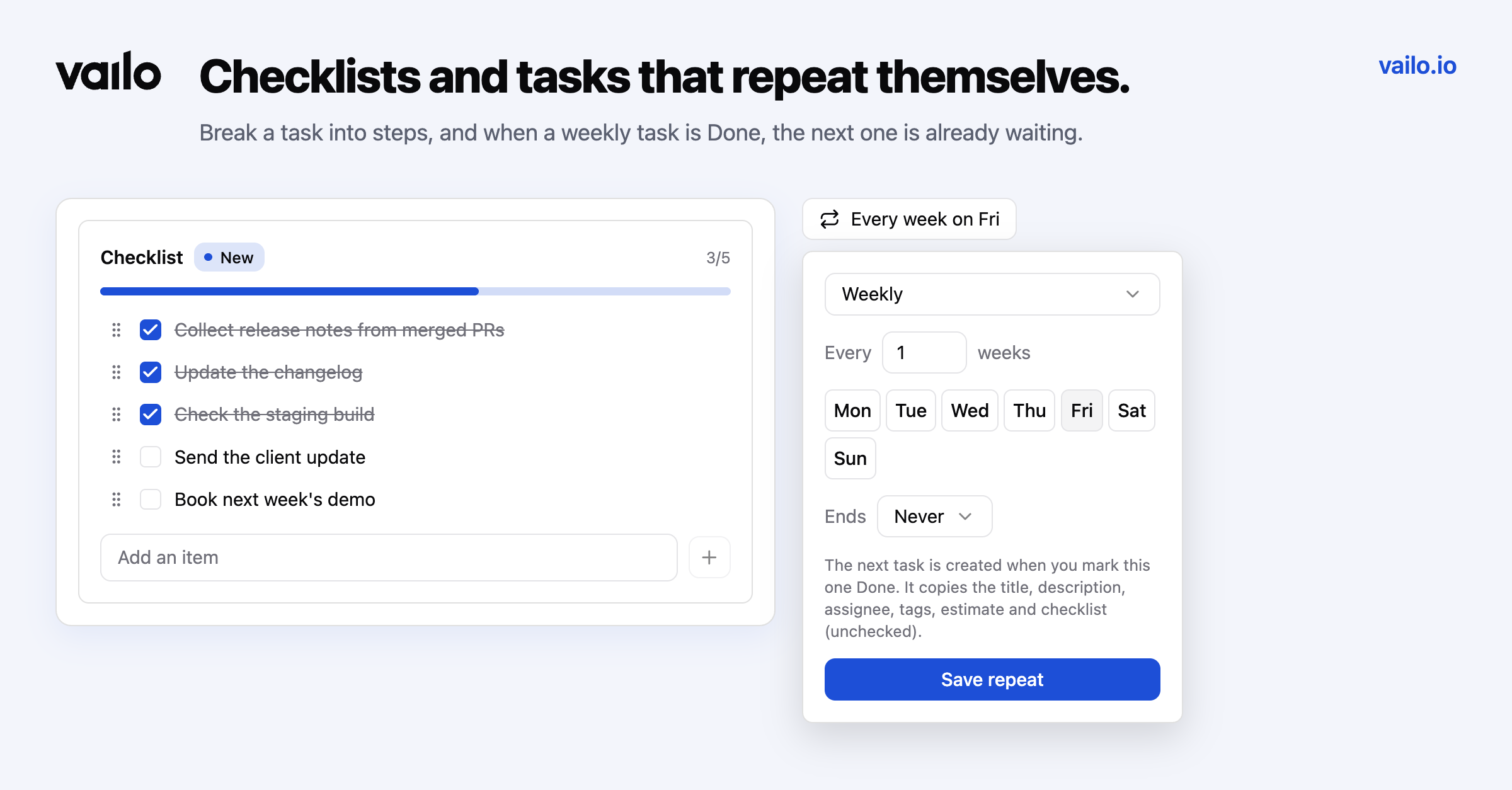
Some work is one task with many steps. Some work is the same task every week. Vailo now handles both, on every plan.
Checklists
Break a task into steps right on the task page. Tick them off, edit an item by clicking it, drag items into a new order, and add up to 100 items per task.
Progress shows where you plan the work: a 3/5 chip on the board card and in the task list, and a progress bar above the checklist. The chip turns green when every step is done.
Recurring tasks
Open Repeat on a task and choose how often:
- Daily, or every N days
- Weekly on the weekdays you pick, or every N weeks
- Monthly on a day of the month, or every N months
Add an end if the series should stop: on a date, or after a number of times.
When you mark a repeating task Done, Vailo creates the next one for you, due on the next date, with the same title, description, assignee, tags and estimate, and the checklist unchecked. Weekly reports, invoices, backups and reviews stop depending on someone remembering to copy last week's task.
A small repeat icon on the card tells the team a task is part of a series.
History
Every checklist change and every repeat setting is recorded in the task history, so you can see who ticked off what, and when.